Key Takeaways
Effective training videos start with a clear learning goal and a specific audience. Keep each lesson focused, easy to follow, accessible, and connected to a way to practice or measure learning.
- Define what learners should be able to do after watching.
- Match the video format to the skill or idea being taught.
- Plan the script, visuals, accessibility, and delivery before filming.
- Use clear sound, practical examples, and purposeful editing to hold attention.
- Review learner feedback and update videos as processes change.
Set goals and understand your audience
A useful training video begins with a decision about what people need to learn, not with a camera or a script. When a video has a defined purpose, it becomes easier to choose examples, pacing, and a format that fits. People searching for “videos training” are usually looking for a practical way to teach a skill or explain information clearly. Start by treating the video as one part of a learning experience, with a specific audience and a reason to watch.
Define the skills or knowledge viewers should gain
Describe the change you want to see after the video. A broad subject such as workplace safety or customer service may need several lessons, while a single task can often be taught in one focused piece. A clear objective also helps keep production decisions in check: if a scene or explanation does not help teach the intended skill, it may not belong.
Identify learners’ roles, experience, and needs
The same topic can require different explanations for a new employee, an experienced specialist, or a manager. Think about what learners already know, what terminology is familiar, and where they may watch: at a desk, on a phone between tasks, or in a group session. This context shapes the examples and language that will feel relevant rather than generic.
Choose outcomes you can measure
Choose evidence that reflects the objective, rather than relying on views alone. A quick knowledge check may suit a lesson about policies, while a practical demonstration or supervisor observation may better show whether someone can perform a hands-on task. A simple planning table can connect the lesson to a useful measure:
| Learning goal |
Possible evidence |
When to check |
| Recognize a safety risk |
Learner identifies risks in a scenario |
After the video |
| Follow a process |
Learner completes the steps correctly |
During practice |
| Explain a policy |
Learner answers a short knowledge check |
After viewing |
The measure should be proportionate to the lesson. For inspiration on defining objectives and structuring lessons, see this training video planning guide. Use the evidence to refine the content, not to assume that a single completion metric tells the whole story.
Choose the right training video format
The format should make the learning easier to understand, not simply make the video look more elaborate. A learner who needs to perform a physical task may benefit from watching each step, while someone learning a new concept may need a plain-language explanation and a visual analogy. Consider how the viewer will use the information afterward. Then choose the simplest approach that makes the idea clear.
Use demonstrations for processes and hands-on tasks
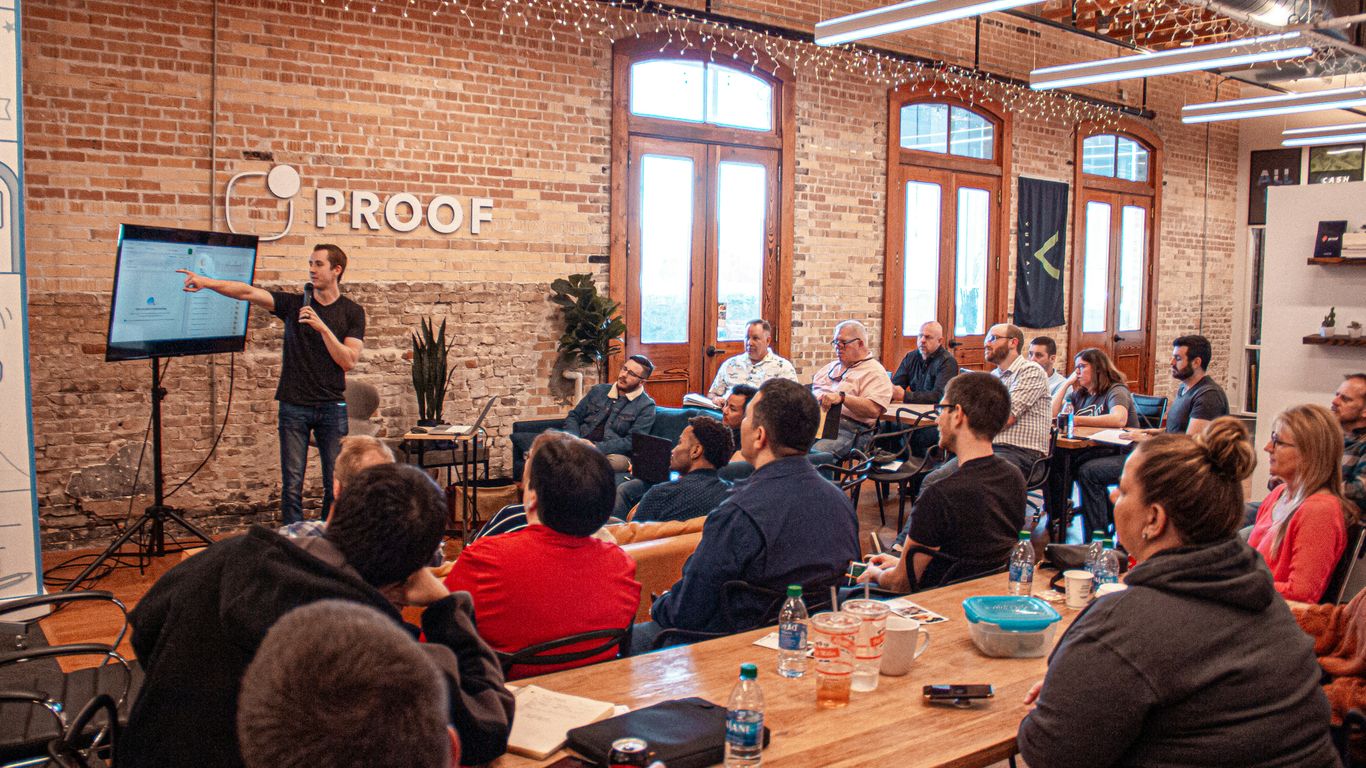
A demonstration lets viewers see the order, movement, or decision involved in a task. Show the important details at a useful pace, and avoid framing so wide that the action becomes difficult to see. If mistakes are common, it can help to show a frequent misstep and then clarify the correct approach, so learners understand not only what to do but why.
Explain concepts with narration, interviews, or animation
Narration can guide viewers through information that is difficult to show directly, while an interview can give a topic a human voice. Animation or simple graphics may help explain relationships, sequences, or abstract ideas. Choose visuals with a job to do: they should clarify, emphasize, or orient the learner, rather than compete with the spoken explanation.
Combine short lessons into a focused learning series
When a topic contains several distinct skills, a small series can make it easier to revisit the right lesson later. Keep each video centered on one meaningful idea, and make the connection between episodes clear. A sequence should feel like a path, not a pile of unrelated clips; learners need to know what comes next and how each part fits the larger task.
Plan the video before production
Planning is where an objective becomes a shootable lesson. It gives the team a chance to find gaps in the explanation, choose visuals that support the teaching, and decide what must be ready on filming day. A little preparation can also prevent scenes that look polished but do not help the learner. Write down the instructional sequence before settling into production details.
Turn learning goals into a clear script and storyboard
A script should sound natural aloud and move through the lesson in a logical order. A storyboard can be simple: a series of notes describing what viewers hear and what they see at each point. VG Creations lists Training and Education Videos among its video production services, while the core planning decisions still begin with the learning goal and the material learners need to understand.
For a compact lesson, it can help to check that a few essential beats are represented in the script:
- Open with the task or question the lesson will address.
- Explain or demonstrate the steps in a clear sequence.
- Include an example that shows the idea in context.
- Close with a recap or a prompt to apply the learning.
This sequence is a guide, not a rigid formula. Read the script aloud and look for jumps in logic, unexplained terms, or details that can be shown more simply than they can be described.
Select locations, presenters, and visual examples
Choose a setting that supports the lesson and makes the necessary details visible. A real work area can make a procedure feel familiar, but it should be quiet and uncluttered enough to keep attention on the task. Presenters should understand the subject and be comfortable explaining it; where a process is central, make sure the camera can capture the hands, tools, or screen details learners need to see.
Decide on length, accessibility, and delivery requirements
There is no single ideal runtime for every training video. Let the amount of learning determine the length, and split a lesson when the subject changes or a natural pause would help. Plan for captions, readable on-screen text, and a clear audio track from the start, then check how the finished file will be delivered and viewed. These details are easier to address before filming than after the edit is complete.
Produce videos that keep learners engaged
Production quality supports the lesson when it helps viewers see and hear what matters. It does not require constant movement or elaborate effects; a steady frame and intelligible voice may be more useful than a complicated setup. The goal is to make the learning experience feel considered and easy to follow. Capture only the material that serves the objective, and give the presenter room to sound like a person rather than a script reader.

Use clear narration and practical examples
Speak at a measured pace, explain unfamiliar terms, and give learners a concrete situation to connect with the idea. Examples become more useful when they resemble the decisions or tasks viewers will encounter in their own work. If a point is important, reinforce it with a visual or a brief recap instead of repeating the same sentence several times.
Capture polished footage, lighting, and sound
Sound is easy to underestimate until a learner has to strain to hear the explanation. Record in a quiet space, check microphone placement, and listen to a short test before continuing. Use lighting that keeps faces and task details visible, and frame the scene so the action reads clearly. VG Creations lists Video Production among its services; regardless of who records the lesson, careful sound and visual checks help prevent avoidable distractions.
Guide presenters to feel natural on camera
Presenters are often more comfortable when they know the purpose of the scene and who they are speaking to. Rehearse the main ideas rather than demanding a word-perfect performance, and allow short pauses between sections. A few takes can be useful, but a little warmth and natural expression will usually serve a learning video better than stiff delivery.
A brief, authentic explanation can help learners stay with a topic, especially when the presenter speaks directly to the practical problem the video addresses. Keep the take grounded in the work itself, and let clear teaching matter more than performance polish.
Edit and prepare videos for learning
Editing shapes the material into a lesson that viewers can follow without losing important context. A tighter pace can help, but cutting too aggressively may remove the explanation that makes a step understandable. Review the edit from the learner’s point of view: can someone tell what is happening, why it matters, and what to do next? Small improvements to captions, graphics, and organization can make the video easier to use as a reference.
Cut repetition while preserving essential context
Remove false starts, long pauses, and repeated explanations that do not add anything. Keep the moments that show a transition, clarify a decision, or explain why a particular step matters. Before shortening a section, ask whether the remaining footage still makes sense on its own; a quick cut can create confusion if it removes a necessary setup or consequence.
Add captions, graphics, and chapter markers
Captions support people who are deaf or hard of hearing and viewers watching without sound. Check them for accuracy, especially names, technical terms, and numbers. Graphics should be legible on the devices learners actually use, and chapter markers can help someone return to a specific step without searching through the full video.
Review accuracy, accessibility, and brand consistency
A final review should cover both the teaching and the viewing experience. Confirm that procedures and terminology are correct, captions match the narration, and on-screen text can be read comfortably. VG Creations lists Video Editing Services among its offerings. For any finished lesson, a deliberate review also helps ensure the visuals and language are consistent with the organization’s standards.
Publish and improve your training videos
A completed video is useful only if learners can find it when they need it. Decide where the material belongs, who should be able to access it, and how it connects to any accompanying practice or reference documents. Publishing is also the beginning of a feedback loop: viewers can reveal where a lesson is clear, where they get stuck, and what needs to change. A little ongoing care keeps the video library relevant.
Choose a learning platform and organize video access
Use a platform or shared library that fits how learners already access training. Organize videos by role, task, or subject, and use clear titles that describe what a viewer will learn. If a lesson is part of a sequence, make the relationship between videos easy to spot and include any necessary instructions for completing related practice.
Check completion, feedback, and knowledge retention
Completion data can indicate whether people reach the end, but it cannot show by itself whether they understood or can apply the material. Pair it with learner feedback and an appropriate knowledge or skills check. A few focused questions can surface unclear language or missing examples; reviewing results over time can show whether the content needs adjustment. This employee training video guidance offers another perspective on planning and evaluating workplace lessons.
Update content when processes or policies change
Training videos can become outdated when a tool, process, or policy changes. Assign someone to review important lessons periodically, and make it easy for learners to flag material that no longer matches current practice. When an update is needed, revise the affected sections and check any related videos or references so the full learning path remains consistent.
Conclusion
Engaging training videos grow from a simple discipline: know what learners need to do, choose a format that makes the task clear, and keep each production decision in service of that goal. With thoughtful planning, accessible editing, and regular review, video can become a dependable part of how people learn and apply new skills.
Frequently Asked Questions
What makes a training video engaging?
A clear learning goal, relevant examples, understandable narration, and visuals that support the lesson all help keep viewers engaged. A focused video respects learners’ time and makes it easy to see how the information applies.
How long should a training video be?
Make the video only as long as it needs to be to teach its objective. If the material shifts to a different skill or idea, consider splitting it into a short series rather than stretching one lesson across several topics.
Should training videos include captions?
Yes. Accurate captions support accessibility and help viewers who are watching in a quiet or sound-sensitive setting. Review captions carefully for technical terms, names, and any text that automated transcription may misinterpret.
What is the best format for teaching a hands-on task?
A demonstration is often a strong choice because it lets learners see the sequence and details of the task. Add narration or close-up views when they clarify what to do, and provide a chance to practice where possible.
How can I tell whether learners understood a video?
Use evidence tied to the learning goal, such as a short knowledge check, a practical task, or observation during work. Completion and viewer feedback can add context, but neither alone confirms that someone can apply the lesson.
Should training videos be divided into a series?
A series can work well when the subject includes several distinct objectives or steps. Keep each lesson focused and make the order clear so learners can follow the sequence or return to a specific topic later.
When should a training video be updated?
Review it when a policy, process, tool, or role expectation changes, and periodically check whether examples and instructions remain accurate. Learner feedback can also reveal when an update is needed even if the underlying process has not changed.
