Key Takeaways
A video production course can help you turn an idea into a finished piece, but the best choice depends on what you want to make and how you learn. Whether you’re learning from home or out on a real shoot in Miami or Palm Beach, the goal is the same: finish projects and learn from each one.
- Look for instruction that connects planning, filming, and editing rather than treating them as unrelated tasks.
- Compare course format, curriculum, student work, cost, and time commitment before enrolling.
- Plan around a clear audience and purpose, then use scripts, shot lists, and schedules to guide production.
- Practice camera, lighting, and sound fundamentals through projects that resemble the videos you want to create.
- Use finished course projects to build a portfolio, seek feedback, and explore practical opportunities.
What a video production course teaches
A video production course usually follows the path from an early idea to a finished video. Along the way, you learn creative decisions as well as practical skills: what to capture, how to capture it, and how to shape the material afterward. The balance varies, so it helps to think about the kind of work you hope to make before choosing a course.
Core skills, from camera operation to storytelling
Technical skills matter, but they are only part of producing a strong video. You may practice operating a camera, composing shots, recording sound, and editing footage, while also learning how to make a sequence feel clear and engaging. Storytelling is the thread between those decisions: each image, sound, and cut should help the audience understand or feel something.
A useful course gives you chances to apply the techniques rather than only hear about them. You might film the same subject from different angles, then compare how framing or sound changes the impression. That kind of repetition builds practical creative judgment—the ability to choose a technique because it suits the story, not just because it looks impressive.
How pre-production, production, and post-production fit together
Production is easier to manage when each stage informs the next. In pre-production, you define the idea and prepare the shoot; production is where you capture the planned material; and post-production is where you organize, edit, and finish it. A decision made early, such as the intended audience or final video length, can affect all three stages.
A course may introduce these stages separately, but projects reveal how closely they depend on one another. A missing shot can limit the edit, while a rough edit can expose a need for another interview or pickup shot. Our guide to the video production stages offers another way to think about how planning, filming, editing, and delivery connect.
Specialized paths such as music videos, podcasts, and commercials
Once you understand the shared foundations, you can look for courses centered on a particular format. A music video may emphasize performance, mood, and visual interpretation; a podcast video may depend on comfortable interviews and consistent sound; and a commercial often needs a concise message shaped for a defined audience. The creative choices change with the purpose, even when the production basics overlap.
If you want a focused example, a music video production course covers storytelling, camera work, lighting, directing, and production from concept through rough editing. VG Creations describes its podcast production services as covering setup through post-production. Looking at a specialized course alongside a real production workflow can help you decide whether you want broad foundations or a narrower creative focus.
How to choose the right course
The right course is not necessarily the longest or most advanced one. It is the course whose teaching style, assignments, and level match the work you want to do next. Before enrolling, compare the practical experience you will get with the time, money, and equipment the course expects you to provide.
Compare online, in-person, and hybrid formats
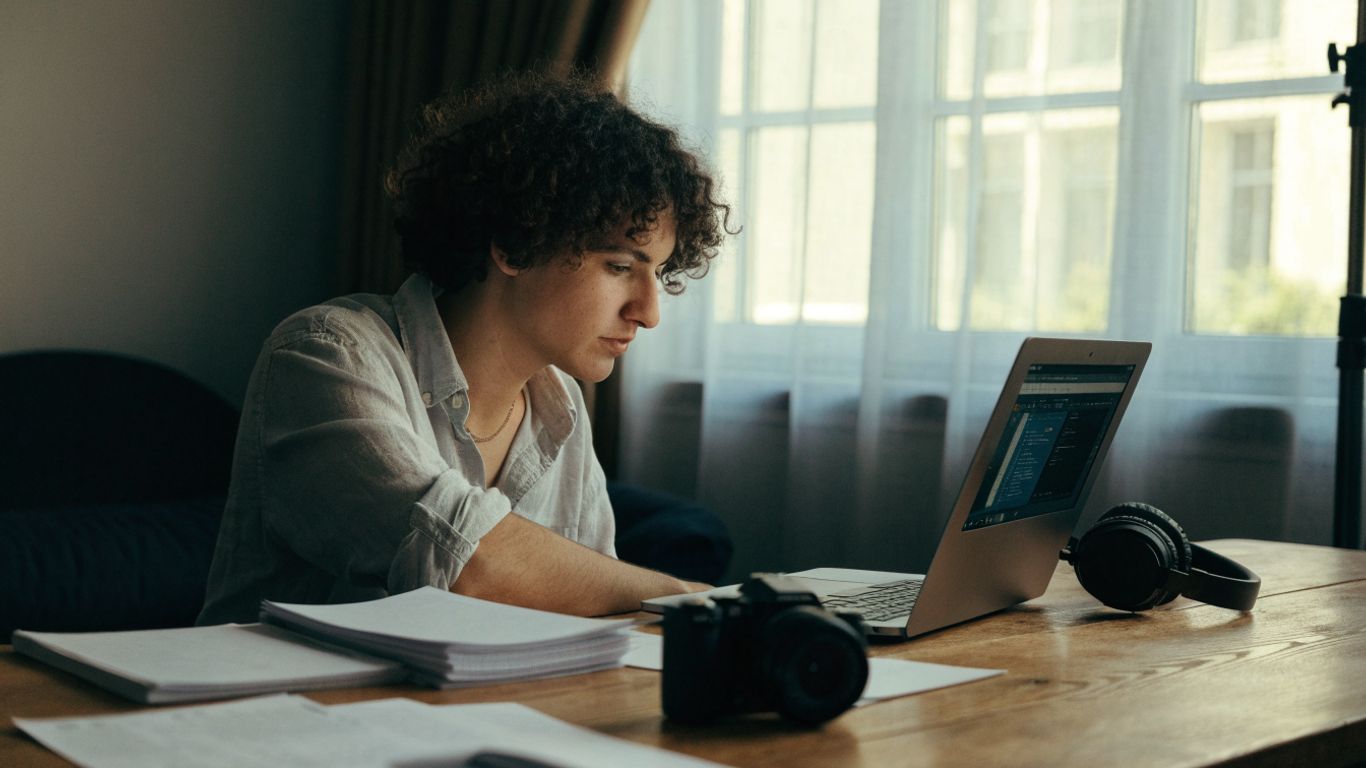
Online courses can be convenient when you need flexible study time, while in-person classes may make it easier to practice with equipment and receive immediate feedback. Hybrid formats can combine independent lessons with scheduled sessions or project reviews. The trade-off is not simply convenience versus contact: consider where you will get hands-on practice and how questions will be answered.
A quick comparison helps clarify what each format may offer. Specific programs vary, so use this as a starting point rather than a promise about every course.
| Format |
May suit you if |
Check before enrolling |
| Online |
You need a flexible schedule |
How practical exercises and feedback work |
| In-person |
You want guided practice with equipment |
Class size, facilities, and access to gear |
| Hybrid |
You want a mix of independent and live learning |
Which sessions are required and where they happen |
If you live in South Florida, it’s worth looking for hands-on experience close to home alongside any course you pick. Ask production companies in Miami and Palm Beach whether you can shadow a shoot, assist on set, or sit in on an edit. Even a few days around a working crew shows you things a course can’t, like how a day on set really runs.
Then picture a typical week in the course. If you can realistically complete its exercises and get the kind of instruction you need, the format is likely workable; if not, even a strong curriculum may be hard to use.
Check the curriculum, instructor experience, and student work
Read the course outline closely and look for assignments that produce finished work, not just demonstrations. Student projects can show whether the course supports the style and level of practice you want. Instructor experience matters too, but look for a clear connection between that experience and the skills being taught.
It can also help to compare a course with the kinds of production work you are interested in. For example, a beginner video production course with hands-on exercises covers planning, equipment, filming, editing, and exporting. VG Creations lists training and education videos among its video production services, a useful reminder that instructional video is one possible project format to explore.
Match the course level to your goals and current skills
A beginner course should explain core ideas and give you room to make mistakes while practicing. If you already know the basics, look for assignments that stretch your work in areas such as directing, lighting, editing, or a specific format. The course description should make its prerequisites and expected experience understandable.
Start with the next skill you actually need. If your goal is to record a polished interview, a course focused on camera, sound, and interview practice may be more useful than a broad program that spends little time on those areas. A good match helps you build on what you know without skipping the fundamentals that still matter.
Weigh tuition, equipment costs, and time commitment
Tuition is only one part of the cost. Check whether equipment, software, travel, storage, or materials are included, and estimate how many hours you can set aside for lessons and projects. This guide to building a video production kit can help you think through gear categories and how they relate to a shoot, but you may not need to buy everything before learning the course requirements.
A realistic budget should leave room for the time needed to practice and revise. Ask what equipment is essential, whether you can borrow or rent it, and how much work falls outside scheduled class time. That gives you a more useful picture of the course’s total commitment than tuition alone.
Plan a video before filming
Preparation gives a shoot direction without requiring every moment to be scripted. It can help you use limited time well, coordinate people, and arrive with a clearer idea of what the edit will need. Even a small project benefits from a little planning before the camera comes out.
Develop a concept, audience, and creative brief
Begin with the reason the video should exist. Decide who it is for, what they should understand or feel, and what you want them to do afterward. Then turn those answers into a short creative brief that describes the central idea, tone, intended length, and practical constraints.
A clear brief gives collaborators a shared point of reference. It does not have to be formal; a page of notes can be enough for a personal project. A step-by-step guide to planning your first video production can help you consider goals, budget, storyboarding, locations, and distribution before filming.
Write a script or prepare interview questions
A scripted video benefits from a simple structure: an opening that orients the viewer, a middle that develops the idea, and an ending that leaves a clear impression. For interviews, prepare questions that invite specific examples instead of one-word answers. You may not use every response, but having a purposeful sequence makes it easier to guide the conversation.
Leave room for natural moments. A script can keep a short piece focused, while flexible interview prompts give a speaker space to answer in their own words. In either case, make sure the language sounds natural when spoken aloud.
Build a shot list and production schedule
A shot list translates the idea into images and sounds you need to capture. It also helps you notice gaps before the shoot, such as a missing establishing shot or detail that would make a transition easier. Pair the list with a schedule that accounts for setup, recording, breaks, and travel between locations.
For a compact project, you can organize the plan in a few practical steps:
- Identify the essential shots that carry the story.
- Group shots by location or setup to reduce repeated changes.
- Estimate time for setup, recording, and any planned interviews.
- Note backup shots or alternate options if a setup becomes unavailable.
The schedule should be realistic rather than optimistic. If the essential shots are covered first, you can use any extra time for additional angles or details without risking the core story.
Choose locations, talent, and essential equipment
Choose locations based on the story and the conditions you can control. Check for noise, available light, permissions, and enough space for the people and equipment involved. If people will appear on camera, make sure they understand the purpose of the video and what participation will involve.
Keep the gear list tied to the plan. A small interview might need a camera, support, a microphone, and a light, while another project may call for different tools. Borrowing or renting can be sensible while you are learning, especially before you know which equipment suits your work.
Learn the fundamentals of filming
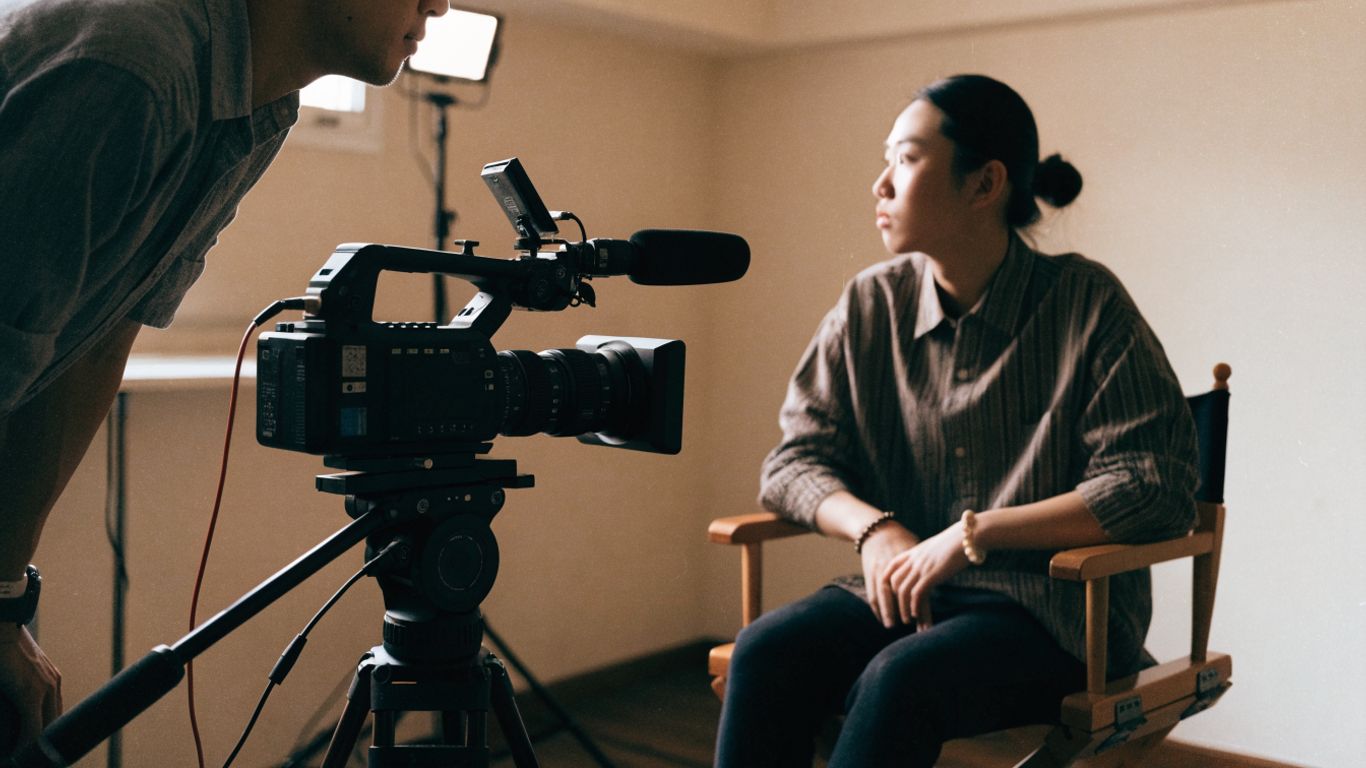
Filming involves a series of choices that affect how an audience reads a scene. Camera settings help create consistent images, while composition, movement, light, and sound guide attention. Learning the fundamentals gives you more control when conditions are less than ideal.
Set exposure, focus, frame rate, and white balance
Exposure determines how bright or dark the image appears, and focus decides what looks sharp. Frame rate affects the way motion is recorded and played back, while white balance helps keep colors from shifting unnaturally under different light sources. A course should give you time to adjust these settings and see what changes in the footage.
Rather than memorizing settings as isolated rules, practice checking them before each take. Confirm that the subject is in focus, the exposure is usable, and color looks consistent with the light in the scene. A short test recording can reveal a problem before it becomes a problem across an entire shoot.
Compose shots and use camera movement with purpose
Composition guides the viewer’s attention through placement, background, and space around a subject. Camera movement can add energy or reveal information, but movement without a reason may distract from the moment. Start with a steady frame, then consider whether a pan, tilt, or moving shot helps the story.
Try filming the same action in a wide shot, a medium shot, and a close-up. When you review the footage, notice which details each frame includes and how the sequence might cut together. The exercise builds an eye for coverage and helps you avoid relying on a single angle.
Shape a scene with natural and artificial light
Light can make a subject easier to see and influence the feeling of a scene. Natural light is often a useful starting point, but its direction and intensity can change; artificial lights offer other ways to shape a subject and background. Observe how light falls on faces and surfaces before deciding where to place people or equipment.
Make small adjustments and review the image as you go. Moving a subject nearer to a window or changing the angle of a light can alter shadows more effectively than adding complexity. Consistency across shots matters, particularly when the edit needs to make separate moments feel like one scene.
Capture clear dialogue and location sound
Viewers may tolerate a less-than-perfect image more readily than dialogue they cannot understand. Place the microphone close enough to the speaker, monitor recording levels, and listen for room noise or interruptions. Capturing a few seconds of ambient sound can also help smooth edits between lines.
Before an interview or scene, record a test and listen back through headphones. A room that seems quiet in person may have a hum, echo, or traffic sound that becomes obvious in a recording. Fixing the setup early is usually easier than trying to repair unclear audio later.
Edit and finish a polished video
Editing turns individual clips into a sequence with shape and meaning. The first pass is often about finding the story, not adding effects. Once the order and pace work, you can refine the sound and image, then export a version suited to its intended use.
Organize footage and build a coherent story
Start by copying and organizing the footage so you can find clips without guesswork. Use clear folder names, label useful takes, and keep a separate backup when possible. Then review the material and mark the moments that move the story forward.
Build a rough sequence before spending time on small refinements. For an interview, that may mean arranging the clearest answers into a logical progression and removing repetition. Seeing the whole structure makes it easier to identify what is missing or out of place.
Refine pacing with cuts, transitions, and B-roll
Pacing comes from the length and order of shots as much as from transitions. A cut can tighten a moment or shift attention; B-roll can add visual context, cover an edit, or give the viewer a short break from a talking head. Transitions work best when they clarify a change rather than call attention to themselves.
Watch the edit from beginning to end and notice where attention drifts. If a section feels slow, consider whether it repeats an idea or needs a supporting image. If it feels rushed, a pause or a longer shot may make the point easier to follow.
Mix audio, add music, and balance sound levels
Audio finishing means making speech, music, and ambient sound work together. Dialogue should remain easy to hear, and music should support the scene without competing with it. Listen to the entire video at a comfortable volume, not only to individual clips as you edit.
A second listening pass can reveal abrupt changes between shots or music that swells at the wrong moment. Use adjustments to keep levels consistent, then check that the mix still feels natural. Clear sound is a finishing skill, not a decorative extra.
Apply color correction, graphics, and export settings
Color correction helps shots look consistent, while graphics can identify a speaker or clarify information. Keep titles readable and use them only when they add something the image or narration does not. Export settings should fit the destination, so confirm the required dimensions, file type, and other delivery specifications before rendering.
Review the exported file rather than assuming the timeline tells the whole story. Check for missing frames, awkward title placement, audio problems, and playback issues. A final viewing on the intended kind of screen can catch details that are easy to miss while editing.
Turn course projects into practical experience
A completed assignment can become more than a grade: it can show how you think through a project and carry it to completion. Choose work that reflects the kind of videos you want to make, then revise it until the presentation feels intentional. A small, focused portfolio can be more useful than a large collection of unfinished experiments.
Create portfolio pieces for different audiences
Select a few projects that show different strengths, such as an interview, a short event recap, or a concise promotional piece. Each should have a clear purpose and a polished final version. Include a short note about your role and the decisions you made, especially if a project involved a team.
Aim for work that demonstrates range without losing coherence. A portfolio can be updated as your skills develop, so it does not need to represent every format at once. Choose examples that make it easy for someone to understand what you can contribute.
Practice on brand, interview, and event video projects
Practice projects can resemble real assignments even when they are self-directed. A brand story might focus on a business’s point of view; an interview can test preparation and sound recording; and an event video production project asks you to anticipate moments while working in a changing environment. VG Creations lists commercial video production among its services, illustrating one direction a focused practice project could take.
Treat each project as a chance to work through the full process, from a brief to an export. Keep the scope manageable, and decide in advance what the finished video needs to accomplish. That makes the project easier to evaluate afterward.
Gather feedback and revise your work
Ask viewers what they understood, where their attention shifted, and what felt unclear. Specific questions tend to produce more useful feedback than asking whether someone simply liked the video. Compare those responses with your original goal, then decide which changes would improve the piece.
Revision is part of learning, not proof that the first attempt failed. Save versions so you can compare edits and understand what changed. Over time, the habit of reviewing your own work can help you spot recurring strengths and problems.
Explore freelance, in-house, and production-team opportunities
Course projects can help you explore different working settings, but each path calls for more than technical ability. Freelancers often need to communicate scope and schedules; in-house roles may involve ongoing work for one organization; and production teams divide responsibilities across a project. Learning which parts of production suit you can guide what skills to build next.
Look for low-stakes ways to gain experience, such as helping with a community event or making a short video for an organization you know. Keep track of your contribution and what you learned. A career guide for videographers and video editors offers further ideas for developing a portfolio, finding a niche, and building professional experience.
Rather hire a team than learn it yourself?
A course is a great fit if you want to build a skill, a career, or a creative habit. But if what you actually need is a finished video for your business, learning the craft first may not be the quickest route to it.
A look at the kind of work VG Creations produces.
Hiring a production team usually makes more sense when:
- You have a deadline. A launch, an event, or a campaign date won’t wait for you to finish a course.
- The video represents your brand. Lighting, sound, and editing choices show up on screen, and your audience notices them even if they can’t name them.
- You need more than one person. Many shoots call for a camera operator, a sound person, someone running the schedule, and an editor. That is hard to cover on your own.
- Your time is better spent running the business. Planning, filming, and editing can take far more hours than people expect.
VG Creations is a video production company with studios in Miami and West Palm Beach. We make corporate videos, commercial videos, event videos, and podcast productions, from first idea through final edit.
You can still learn the basics and hire a team. Knowing how planning, filming, and editing fit together makes you a better client, and your first conversation with us will go faster.
Not sure whether to learn it or hire it out? Tell us about your project and we’ll give you an honest answer, even if the answer is “start with a course.”
Conclusion
A video production course is most useful when its projects match the work you want to make and give you room to practice the full process. Build your skills one decision at a time: plan with purpose, film carefully, edit for clarity, and use each finished project to learn what you want to try next. And if you’d rather have a team handle the next video while you focus on your business, get in touch with VG Creations in Miami or West Palm Beach.
Frequently Asked Questions
What does a video production course usually teach?
A course commonly covers planning, camera operation, composition, lighting, sound recording, editing, and export. The exact balance depends on whether the course is broad or focused on a particular format.
Do I need a camera before taking a video production course?
Not always. Check whether equipment is provided or whether a phone or borrowed camera is acceptable for early exercises before buying gear.
Can I learn video production online?
Yes, online study can cover concepts and editing, and some courses include practical assignments. Before enrolling, find out how you will practice filming and receive feedback.
How long does it take to learn video production?
It depends on the course, where you’re starting from, and how often you practice, so there isn’t one honest number. As a rough guide, many beginners can learn the basics, like exposure, framing, and simple edits, after a few weeks of regular practice. Getting comfortable with planning, lighting, sound, and storytelling usually takes longer, often several months of making real projects. Getting good enough to work with clients can take more time still.
The most useful way to measure progress isn’t the calendar. Finish a few short projects, review each one critically, and note what you’d do differently. If your second or third video is clearly better than your first, you’re moving in the right direction.
Is editing included in a video production course?
Many courses include editing, but the amount of instruction differs. Review the curriculum to see whether it covers organizing footage, shaping a story, sound, and exporting a finished file.
What should I include in a video production portfolio?
Choose a small group of polished projects that show the type of work you want to do. Include a range of relevant examples and clarify your role in each project.
How can I get experience after finishing a course?
Make practice projects with clear goals, volunteer for suitable small assignments, or collaborate with others. Ask for feedback and keep revising your work as your skills develop.