Key Takeaways
Useful training videos start with a clear learning need, not a camera setup. Choose a format that suits the task, make each lesson easy to follow, and check whether learners can apply what they saw.
- Match the video format to the skill or information learners need.
- Set measurable objectives before drafting a script.
- Keep lessons focused, visually clear, and grounded in real work.
- Make videos accessible with captions, transcripts, and clear labels.
- Use completion data and learner feedback to guide updates.
What training videos can help your organization accomplish
Training videos give organizations a way to show processes and explain information in a consistent format. They can support onboarding, practical instruction, and continuing education, while giving employees a reference they can revisit. The best use depends on what learners need to do or understand after watching. Start with the workplace need, then decide whether video is a useful way to address it.
Introduce new employees to company policies and processes
New employees often need to learn several policies and everyday procedures at once. Short videos can introduce the basics, show where a process begins, and give a new hire a chance to review details later. Pair each lesson with a clear next step, such as where to find the full policy or whom to ask when a situation is unclear. VG Creations offers Training and Education Videos, a service described as supporting employee onboarding and simplifying complex topics.
Demonstrate job tasks, tools, and safety procedures
Some tasks are easier to understand when learners can watch each step unfold. A demonstration can show the order of actions, how a tool is handled, or what a completed task should look like. For safety-related instruction, make sure the video reflects approved procedures and is reviewed by the appropriate subject-matter expert before it is used. Keep the demonstration focused: show the task at a useful pace, and call attention to any step that is easy to miss.
Support ongoing professional development and compliance training
A video can also refresh knowledge after onboarding, introduce a new standard, or reinforce a recurring compliance topic. For ongoing training, distinguish between material that changes often and principles that remain stable; that distinction makes future updates easier. Videos can complement discussion, written references, and assessments rather than replacing them. The phrase “videos training” may sound a little awkward, but the practical question behind it is simple: what does an employee need to learn, and what format will help make that clear?
Choose the right format for the learning goal
A format should serve the lesson rather than decorate it. A physical task may call for a close-up demonstration, while a policy explanation may benefit from narration and simple graphics. Consider how familiar the audience is with the subject and whether they need to see, hear, or practice something. A few format choices can cover a wide range of training needs.
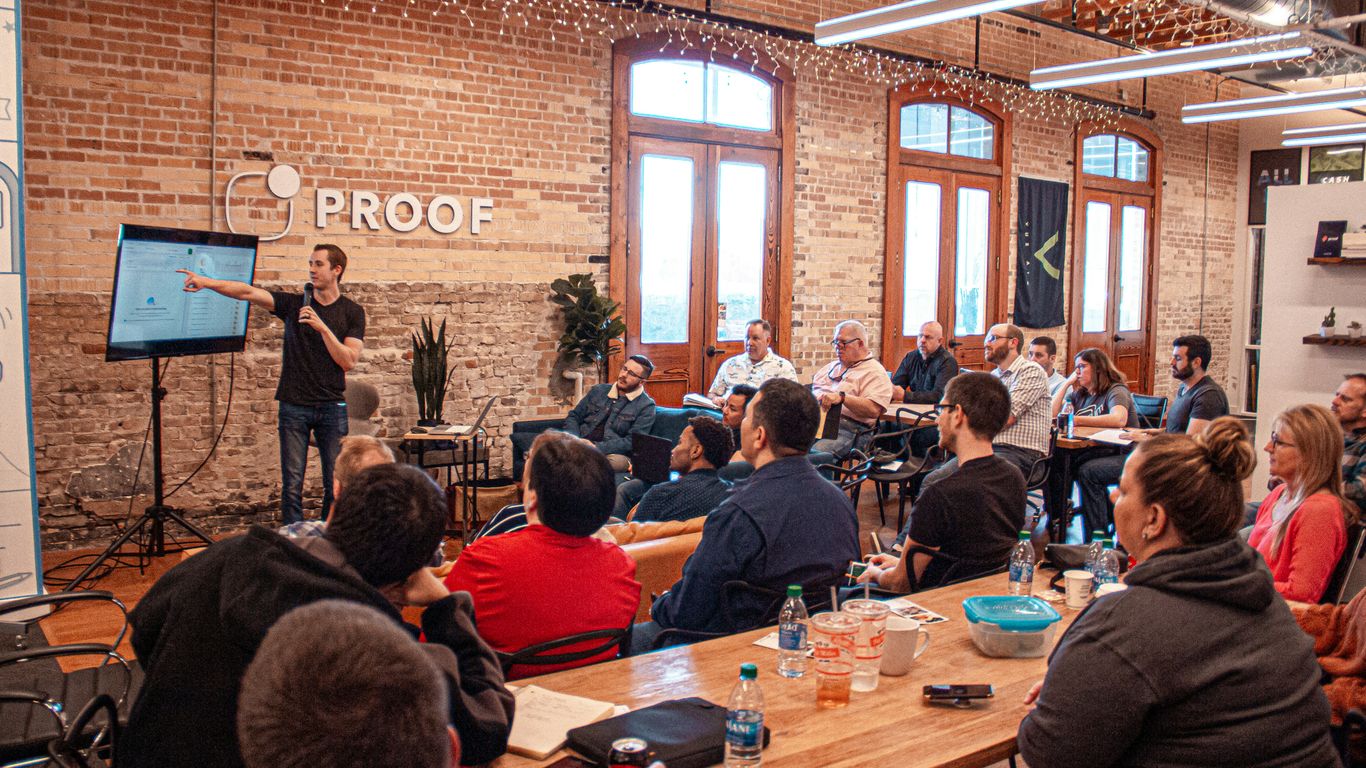
Use demonstrations to show step-by-step tasks
Demonstrations work well when the learning goal involves a sequence learners can see and repeat. Plan the camera angles around the details that matter: hands, controls, materials, or the result at each stage. A short pause between steps can help viewers notice what changed and why. Before filming, try the task as a learner would, so the video shows the actual workflow rather than an idealized shortcut.
The format can be selected by asking what the learner needs to observe and do afterward. This simple comparison helps prevent a video from becoming more elaborate than the lesson requires.
| Format |
Useful when learners need to… |
Production consideration |
| Demonstration |
See a task performed in sequence |
Keep important actions in frame |
| Interview |
Hear an expert explain context or judgment |
Prepare focused questions |
| Narration with visuals |
Follow an explanation or process |
Make each visual support the point |
| Animation |
Picture an abstract idea or system |
Keep movement and labels easy to follow |
Choose the simplest format that makes the work understandable. A demonstration can be paired with narration, for example, but only when the extra explanation helps learners follow the steps.
Explain complex ideas with interviews, narration, or animation
When a topic is less visible than a physical task, narration, an interview, or animation can make the explanation easier to follow. An interview can bring practical experience into the lesson; narration can guide learners through a sequence; animation can represent a process that is difficult to film directly. VG Creations describes its training and educational videos as helping simplify complex topics, support onboarding, and educate customers. The key is to keep the visual treatment in service of the idea, not the other way around.
Reinforce key lessons with scenarios and short knowledge checks
Scenarios let learners consider how a principle applies in a realistic situation. Present a brief decision, give viewers a moment to think, then explain the reasoning behind a suitable response. A short knowledge check can help learners identify what they understood and what they may want to review; it should test the lesson’s objective rather than an incidental detail. For inspiration across formats, corporate training video examples offer a useful view of how different lessons can be presented.
A simple scenario can also make an abstract rule more concrete without pretending that every workplace situation has one universal answer. This approach works best when the explanation names the relevant considerations and points learners to the right source for further guidance.
Plan the content before production
Good production begins with decisions about the learner, the objective, and the scope of the lesson. Planning helps keep a video from turning into a recording of everything an expert knows about a subject. It also gives reviewers something specific to evaluate before filming begins. A practical training-video planning guide can help connect learning objectives with format, scripting, production, and evaluation.

Define learner needs and measurable objectives
Describe the audience and the situation in which they will use the information. Then write an objective that names an action a learner can demonstrate, rather than a broad aim such as “understand the process.” A useful objective identifies one observable action and the conditions or standard that define success. This gives the script, visuals, and assessment a shared target.
A brief objective check can make the planning conversation more concrete:
- What should the learner be able to do after watching?
- Under what conditions will they perform the task?
- What standard or result will show that they did it correctly?
- How will the training team check for evidence of learning?
These answers help keep the lesson focused and make it easier to decide what belongs in the video. If a detail does not support the objective, it may fit better in a separate reference or module.
Write a focused script in clear, conversational language
A script gives the lesson a shape before anyone steps in front of a camera. Use direct language, short explanations, and transitions that tell learners why the next idea matters. Read the draft aloud; sentences that look fine on a page can sound stiff or crowded when spoken. Ask a subject-matter expert to check accuracy, then edit for clarity without losing essential cautions or context.
Break longer lessons into concise video modules
When a topic contains several distinct objectives, divide it into modules that each address one coherent part of the work. This helps learners return to the section they need without replaying an entire course. Give each module a descriptive title and a clear beginning and end, and make the sequence between modules easy to follow. Concision does not mean rushing: include enough context for learners to understand the action and its purpose.
Produce videos that keep learners engaged
Engagement comes from clarity and relevance, not constant motion or effects. Learners need to see the important details, hear the explanation, and understand why the lesson applies to their work. Before filming, decide what the viewer should notice at each point and remove elements that compete with that message. A modest, well-planned setup can serve a training goal better than production choices that distract from it.
Use clear visuals, purposeful pacing, and readable on-screen text
Compose each shot so the relevant action or object is easy to see. Use close-ups when a detail matters, and allow enough time for learners to take in a step before moving on. On-screen text should reinforce a term, sequence, or reminder rather than repeat every spoken word. Check that labels remain readable on smaller screens and that graphics do not cover the demonstration.
Capture clean audio and consistent lighting
Clear sound is essential when instructions depend on spoken explanation. Record in a quiet space, check microphone placement, and listen to a short test before filming the full lesson. Consistent lighting helps learners see faces, tools, and materials without distracting shadows or glare. VG Creations describes its post-production services as elevating the feeling of videos and brands so the work resonates with an audience; for training content, production choices should still keep the lesson easy to hear and see.
Make presenters and real workplace examples feel authentic
Presenters are more convincing when they speak naturally and understand the work they are describing. A short rehearsal can help someone get comfortable without making the delivery feel memorized. Use real workplace examples when they clarify the lesson, while protecting private information and checking that examples reflect current procedures. Authenticity comes from useful detail and a calm, credible explanation—not from forcing a polished performance.
Make training videos accessible and easy to use
A useful lesson should be straightforward to access in the places employees actually learn. Accessibility and usability are part of the content plan, not finishing touches to add after publication. Consider different hearing, vision, language, device, and work-environment needs when choosing how to present information. Small, deliberate choices can make training easier to follow for a broader range of learners.

Add accurate captions and transcripts
Captions help viewers follow spoken information when audio is unavailable or difficult to hear, and transcripts provide another way to review the material. Check captions for names, technical terms, and instructions instead of assuming automated text is correct. Keep important visual information in the spoken explanation or provide an equivalent description so learners who cannot see the screen are not left out. Review captions and transcripts whenever the video is revised.
Design for mobile viewing and different learning environments
Employees may watch on a phone, at a desk, or in a shared space where audio is not practical. Use legible text, uncluttered framing, and captions that remain easy to read on smaller screens. Avoid relying on color alone to communicate a distinction, and make sure the key instruction remains understandable with sound off where possible. Testing the video on the devices learners use can reveal problems that are easy to miss during editing.
Organize videos in a learning platform with clear labels
A well-produced video is less useful if employees cannot find it when they need it. Give each lesson a specific title, group related modules, and make prerequisites or intended audiences clear. Include supporting materials and links to authoritative policies where learners need more detail. Clear organization also makes it easier for training teams to identify material that may need review.
Measure results and improve the training
Evaluation should connect back to the learning objective established during planning. Views alone cannot show whether employees understood or applied a procedure, but they can indicate whether people are reaching the material. Combine platform data with assessments and direct feedback to get a more complete picture. Use what you learn to refine the lesson rather than treating publication as the end of the process.
Track completion rates and assessment performance
Completion rates can show whether learners are getting through a module, while assessment performance can reveal whether key ideas are landing. Read both measures in context: a low completion rate might point to access or scheduling issues, not only the video itself. Compare results against the objective and look for patterns across questions or modules. The point is to identify a question worth investigating, not to treat a single metric as proof of success.
Gather learner feedback and identify confusing sections
Ask learners which parts were clear, where they paused or replayed, and what questions remained. Feedback is most useful when it points to a specific moment or concept rather than asking only whether someone liked the video. Pair comments with assessment results and observations from managers or trainers. If a section consistently causes confusion, revisit its explanation, pacing, or visual treatment.
Update content when policies, processes, or tools change
Training materials can become outdated when a policy, workflow, or tool changes. Assign responsibility for reviewing each video and note the date or version where that information helps users. When a change affects only one module, update that piece and check whether related lessons or references also need revision. A regular review habit helps keep the library useful and reduces the chance that employees rely on superseded instructions.
Conclusion
Engaging training videos are built around a real learner need: a focused objective, an appropriate format, a clear explanation, and a way to tell whether the lesson helped. Plan for accessibility and future updates from the start, then use learner feedback to make the next version better. With that discipline, video can become a practical part of employee learning rather than just another item in a content library.
Frequently Asked Questions
What makes a training video effective?
An effective training video has a clear objective, presents information in a suitable format, and helps learners understand what to do next. It should be accurate, easy to follow, and connected to a way of checking learning.
How long should an employee training video be?
There is no ideal length for every lesson. Keep a video only as long as needed to meet its objective, and split distinct topics into modules that learners can find and revisit easily.
What types of training videos can organizations create?
Common formats include task demonstrations, narrated explanations, interviews, animations, scenarios, and short knowledge checks. The best choice depends on what the learner needs to see, understand, or practice.
Should training videos replace written materials?
Usually, video and written resources serve different needs. A video can show a process or explain a concept, while written materials can provide detailed reference information that learners may need to search or consult later.
How can training videos support onboarding?
Videos can introduce company processes, explain recurring tasks, and give new employees material they can review again. They work best alongside relevant policies, manager guidance, and opportunities to ask questions.
How can organizations make training videos accessible?
Provide accurate captions and transcripts, use readable on-screen text, and avoid relying on sound or color alone to convey essential information. Test lessons on the devices and in the environments employees are likely to use.
How can an organization tell whether a training video is working?
Review completion data alongside assessment results and learner feedback. Look for patterns that suggest confusion or access problems, then compare those findings with the lesson’s original learning objective.