Key Takeaways
Effective brand video starts with a clear purpose, not a camera choice. A thoughtful plan makes each production decision—from format to distribution—serve that purpose.
- Match the format and style to the audience and business goal.
- Agree on the message, script, schedule, budget, and approvals before filming.
- Prepare people, locations, and equipment while leaving room for useful adjustments.
- Shape the footage in editing, then review it against the original brief.
- Adapt the finished video for each channel and measure results against relevant goals.
Define your goals and choose a video format
Film and video production becomes more focused when the team knows what the video needs to accomplish. Start with the audience, the action you hope viewers will take, and the setting in which they will watch. Those decisions help you choose a format that feels useful rather than merely polished. A brand-video planning guide can offer another perspective on connecting purpose, format, and distribution.
Match the format to your audience and business objective
A video intended to introduce a company has a different job from one meant to support a product launch or share a customer’s experience. Consider what the viewer already knows, what questions they have, and what would make the next step feel clear. The strongest concept usually rests on one central message that can be expressed simply in both the opening and the close. If several objectives compete, consider whether they belong in separate videos.
Compare corporate, commercial, testimonial, and event videos
Each format gives the story a different shape. A corporate video can introduce an organization and its work; a commercial can focus on a specific offer; a testimonial centers a customer’s perspective; and an event video can preserve moments or share them with people who were not there. VG Creations lists Corporate Videos among its services, a format that may suit a company looking to present its work and identity. The table below can help narrow the choice by the primary purpose of the piece.
| Format |
Often suited to |
Planning question |
| Corporate |
Introducing an organization |
What should viewers understand about the company? |
| Commercial |
Promoting an offer or campaign |
What is the main action to encourage? |
| Testimonial |
Sharing a customer’s experience |
Which experience can be told clearly and authentically? |
| Event |
Capturing or sharing an occasion |
Who needs to see the event, and when? |
Use the table as a starting point, not a rulebook. A project may combine elements, but choosing one primary purpose makes it easier to decide what footage belongs in the final cut.
Decide between live action, animation, and a hybrid approach
Live action can put real people, products, or places on screen, while animation can help explain ideas that are difficult to film directly. A hybrid approach uses both when the story benefits from a human presence as well as visual explanation. Match the style to the material and the tone you want viewers to take away, rather than selecting it only because it looks fashionable. Keep practical factors in view too: available locations, people, time, and budget all affect what can be made well.
Plan the project before filming
Pre-production gives a creative idea a workable path to the screen. Before anyone books a location or schedules a shoot, settle what the video should say, who it is for, and how you will judge whether it worked. A clear plan also helps a production team identify missing decisions early, when changes are easier to make. The result is not a rigid script for every moment; it is a shared understanding of what the project is trying to do.

Write a brief with clear goals, audience, and key message
A useful brief gives everyone the same starting point. Describe the audience in practical terms, name the video’s main objective, and state the key message in a sentence that can guide creative choices. Include where the video may appear, any required information, and what viewers should do next. The hands-on film training described by a film and video production certificate program covers practical areas such as scripting, camera work, lighting, sound, directing, and editing—skills that underline how many decisions can sit behind a seemingly simple brief.
Develop the script, storyboards, and shot list
Once the brief is clear, build a narrative that earns the viewer’s attention and moves toward the intended message. A script can establish the spoken content, while a storyboard sketches the visual sequence and a shot list turns it into a practical filming guide. Decide what must be captured and what can be improvised, especially for interviews or live events. These planning documents help the crew arrive prepared without making the final video feel mechanical.
A compact pre-shoot checklist can keep the essentials visible:
- Confirm the key message and the intended viewer action.
- Identify speakers, interview topics, and required permissions.
- List essential shots, locations, and any backup options.
- Share the current script and approval deadline with decision-makers.
Treat the checklist as a working document rather than a one-time sign-off. If the concept changes, update the materials so the crew and approvers are still working from the same version.
Set a realistic budget, timeline, and approval process
A realistic schedule accounts for more than the filming day. Brief development, location coordination, reviews, editing, and delivery all take time, and delays in approvals can affect the rest of the work. Set a budget around the project’s actual needs and agree on what deliverables are included before production begins. Name the people who can approve the work and establish how feedback will be consolidated; one clear response is easier to act on than several conflicting notes.
Understand the production process
Production is where the plan meets real conditions: a room may sound different than expected, an interview may reveal a better angle, or an event may move quickly. Preparation gives the crew a structure to rely on, while clear communication allows small adjustments without losing sight of the message. It helps to distinguish essential shots from optional ones so the team knows what to protect when time gets tight. Good preparation is as much about decisions and coordination as it is about cameras.
Prepare the crew, locations, equipment, and talent
Before the shoot, confirm who is responsible for each part of the day and make sure everyone understands the schedule. Check that locations suit the intended look and can support clear audio, lighting, and movement. Confirm equipment and talent needs in advance, and let interview subjects know what to expect so they can arrive prepared. VG Creations lists Event & Conferences among its services, a relevant offering for organizations planning video around an event or conference.
Capture interviews, events, and supporting footage
An interview can carry the main story, but the supporting footage helps viewers see the people and context behind it. For interviews, give speakers room to answer in their own words and ask follow-up questions when a useful detail emerges. For events, capture a mix of establishing views, key moments, and small interactions that communicate the atmosphere. A production day can also include behind-the-scenes material, but every shot should have a reason to support the story.
A flexible shot plan is especially helpful when action unfolds only once. Check the essential coverage as the day progresses, then use remaining time for additional moments that strengthen the edit.
Keep filming on schedule while allowing room for creative adjustments
A schedule helps the team protect the most important scenes, but it should not prevent a good idea from being considered. Build a little flexibility into transitions and allow time to reset a scene or pursue a promising interview answer. When a change arises, quickly assess its effect on the core message, available time, and other planned shots. That small pause can keep a creative adjustment from turning into a rushed finish.
Shape the story in post-production
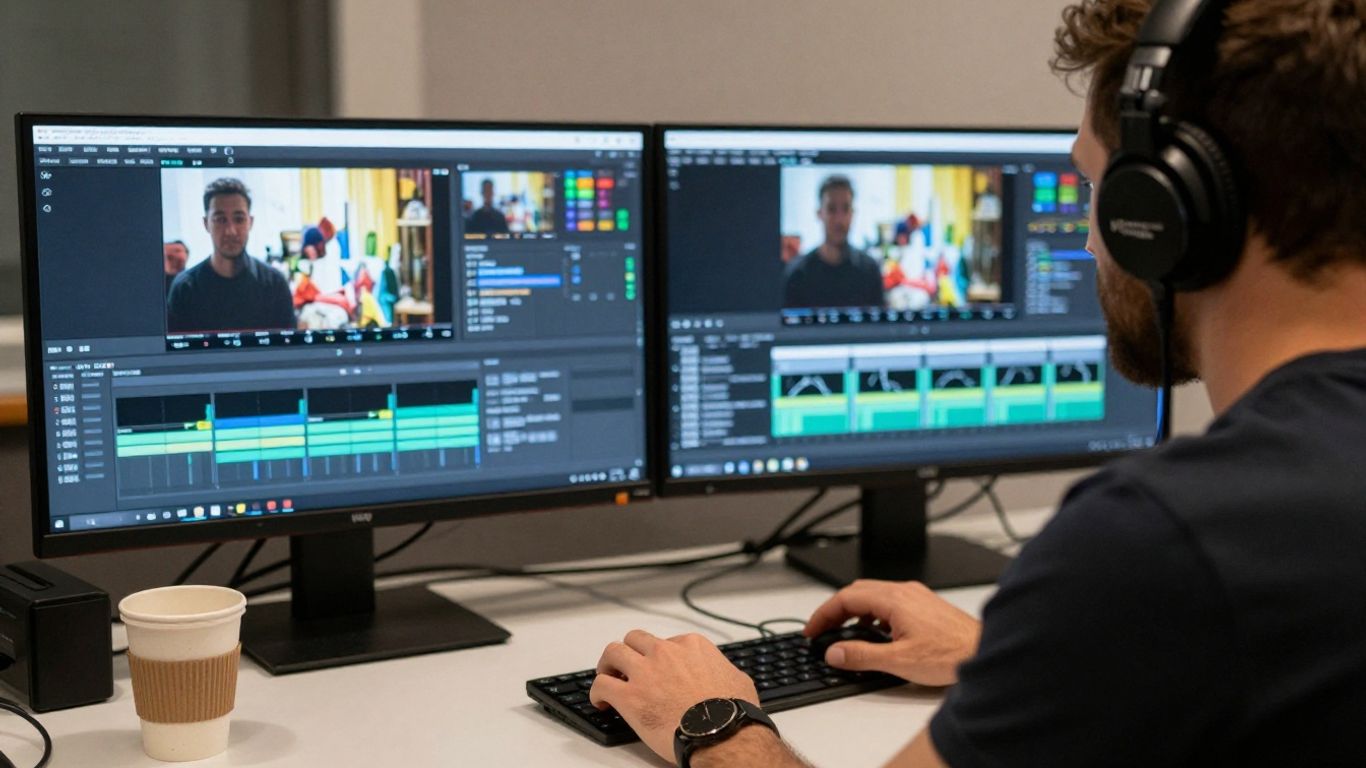
Post-production is where separate takes, sound, and visuals become a coherent piece. Editing is not simply a matter of arranging footage in the order it was filmed; it is a chance to decide what the viewer needs to see, hear, and understand at each moment. The edit should preserve the intention of the brief while making the story feel natural. A careful review process helps the team improve clarity without losing its original direction.
Edit footage into a clear and engaging narrative
Begin by finding the strongest moments and organizing them around a beginning, middle, and end. Keep the pacing appropriate to the subject: an interview may need room for a thoughtful answer, while a short social clip may need to reach its point sooner. Remove repetition and anything that distracts from the main message, but do not cut so aggressively that the story loses its human texture. VG Creations lists Video Editing Services among its offerings, a service that fits this stage of shaping filmed material.
Add sound, music, graphics, captions, and color correction
Sound quality influences whether viewers can comfortably follow the story, so dialogue should remain clear and balanced with music. Graphics and captions can help explain information or make spoken content easier to follow, while color correction brings the visuals into a consistent range. Use each addition with restraint; an effect or graphic should support the message, not compete with it. Captions also deserve a careful read-through so names and key details are accurate.
Review drafts and manage revisions efficiently
A useful review begins with the brief, not just a general question about whether the video feels right. Ask reviewers to consider the message, accuracy, pacing, and required details, then gather their notes in one place. Distinguish essential corrections from personal preferences, and assign a clear owner to resolve conflicting feedback. That approach makes each revision round more focused and helps protect the agreed delivery schedule.
Distribute the video and measure its performance
A finished video is only useful if it reaches the people it was made for. Distribution should be part of the original plan, because a website, social feed, internal presentation, and event screen each create different viewing conditions. Decide where the video belongs and what supporting context the audience will need when they encounter it. Then track a small set of meaningful measures rather than treating a large view count as the only sign of success.
Adapt the video for websites, social media, and presentations
The central story can remain consistent while its length, framing, and opening are adapted for different placements. A website video may have room to develop context; a social version may need to make its point quickly; a presentation may work best when it supports the speaker rather than repeating everything they say. Plan for these uses before filming where possible, so the team can capture alternate framing or useful short moments. Repurposing works best when each version still feels purposeful.
Optimize titles, captions, and formats for each platform
Give each upload a clear title and relevant caption that tell viewers what they are about to see. Check that the aspect ratio and export settings suit the destination, and preview the video on the kind of screen where it is likely to appear. Keep important visual details away from edges where platform controls may cover them. Small adjustments to presentation can make the same story easier to watch in several contexts.
Track views, engagement, leads, and other relevant KPIs
Choose measures that connect to the video’s objective. Views can help show reach, while watch time or engagement may offer clues about whether people stayed with the story; a campaign intended to prompt action may call for tracking relevant inquiries or leads. Establish a baseline and review results over a useful period rather than reacting to a single early number. Use what you learn to refine future topics, formats, and distribution choices.
Choose a production partner and prepare to collaborate
A production partner should understand both the creative work and the reason the organization needs the video. Reviewing examples can help you assess whether a team’s style and experience suit your subject, but a portfolio is only one part of the decision. Ask how the process works, what is included, and how the team handles feedback and delivery. Clear expectations on both sides make collaboration easier from the first conversation through final approval.
Review portfolios, relevant experience, and client feedback
Look for work that resembles your project in format, audience, or production conditions. A relevant portfolio can show how a team handles interviews, events, or brand storytelling, while client feedback may offer insight into communication and the working relationship. Ask what role the production partner played in examples that interest you, and whether the work demonstrates the qualities your project needs. This is more useful than judging a reel by style alone.
Compare proposals, deliverables, licensing, and costs
Read proposals closely to understand what is included: planning, filming, editing, versions, and delivery details can vary from project to project. Ask how many revision rounds are included, what usage rights apply, and whether there are additional costs for changes or added deliverables. Compare proposals against the same brief so you are looking at similar scopes rather than headline prices alone. A clear agreement reduces uncertainty once work is underway.
Share feedback and approvals to keep the project moving
Collaboration tends to move more smoothly when one person gathers input and communicates the final direction. Share feedback that points to a specific moment and explains the issue, such as unclear wording or a missing detail, rather than offering a vague preference. Confirm who has authority to approve each stage and respond within the agreed review window. Timely, specific notes give the creative team a fair chance to make useful revisions.
Conclusion
Effective film and video production is a chain of connected decisions: set the purpose, plan for the audience, film with intention, and edit toward a clear story. When the finished video is adapted thoughtfully and measured against its original goal, it can become a useful asset well beyond the day it is released.
Frequently Asked Questions
What is film and video production?
Film and video production is the process of planning, filming, and editing moving-image content. For a brand video, that process also includes deciding the audience, message, intended use, and measures of success.
What are the main stages of video production?
The main stages are pre-production, production, and post-production. They cover planning and preparation, filming, and editing the footage into a finished piece.
How do I choose the right video format?
Start with the audience and the purpose of the video. A corporate video, commercial, testimonial, or event video may each serve a different communication need, so choose the one that best fits the message and intended action.
What should a video brief include?
A brief should state the goal, intended audience, key message, likely distribution channels, and desired viewer action. It can also note required content, schedule, budget, and who will approve the work.
How long does a brand video take to produce?
Timing depends on the complexity of the concept, preparation needs, filming schedule, editing, and review process. Agreeing on a timeline and prompt approval responsibilities early helps set realistic expectations.
What should I prepare before a video shoot?
Confirm the creative brief, schedule, locations, participants, permissions, and essential shots. It also helps to share interview expectations and check that the setting supports clear sound and suitable lighting.
How can I measure whether a video is successful?
Choose measures that match the goal. Views can indicate reach, engagement and watch time can offer insight into viewing behavior, and campaign-specific actions can help assess whether the video supported its intended next step.
